xxx
Categories

Guide to the Main EchoPilot Systems

EchoPilot: See the Seabed Ahead of Your Boat with Forward-Looking Sonar

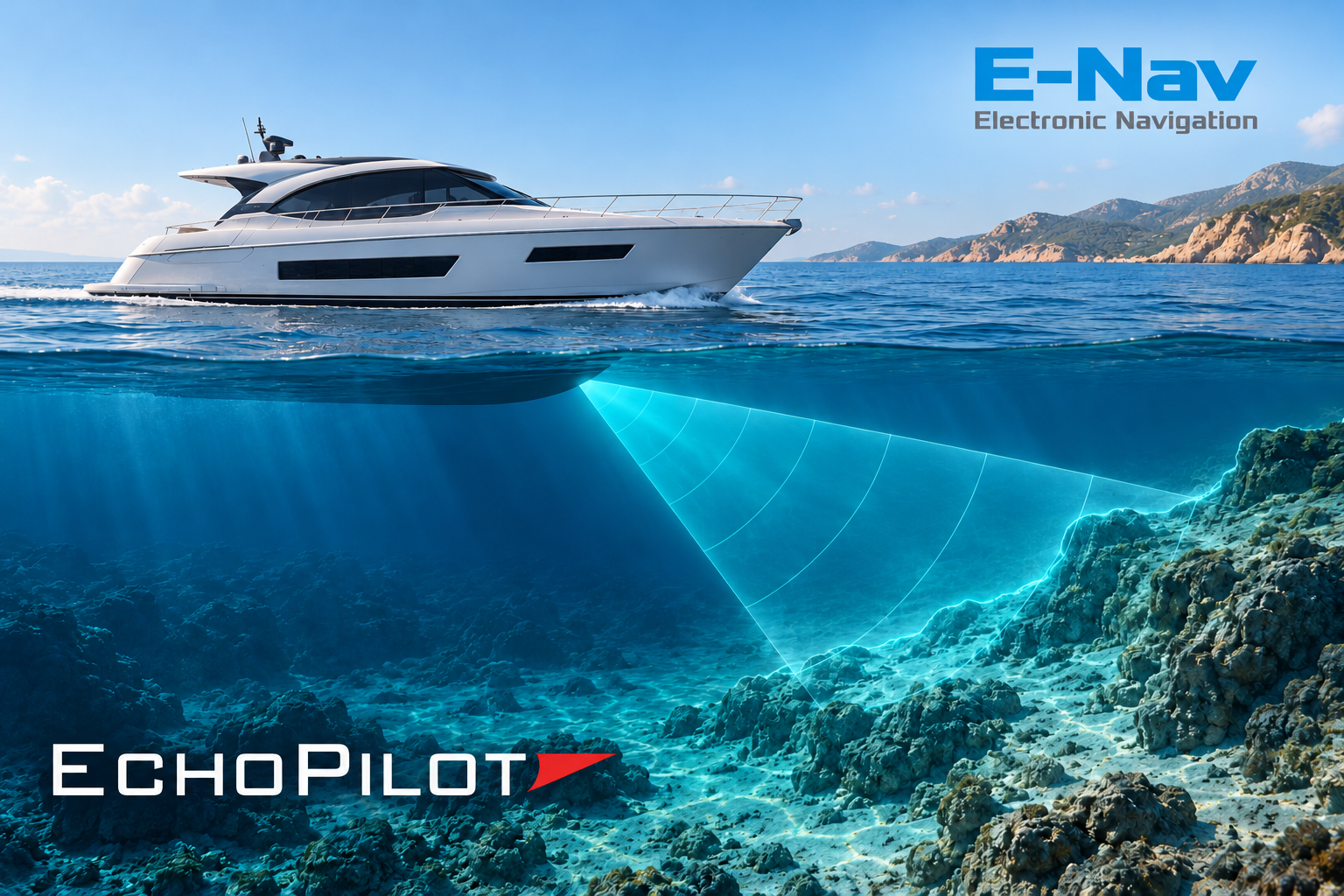
When approaching an anchorage, navigating a channel, or entering an unfamiliar harbor, knowing how much water is beneath your boat is essential. Being able to see the seabed ahead of the bow as well provides valuable additional information—that’s the principle behind EchoPilot forward-looking sonar systems.

What is EchoPilot and how does it work?

EchoPilot is a brand specializing in Forward Looking Sonar systems, often abbreviated as FLS: sonar designed to explore the underwater environment ahead of the vessel.

The sonar transmits acoustic pulses into the water and analyses the returning echoes. This information is used to map the seabed and identify potential obstacles within the scanned area. Depending on the model, the display provides a two-dimensional or three-dimensional view.

How does it differ from a traditional depth sounder?

A traditional depth sounder primarily measures the depth beneath the boat. A forward-looking sonar extends the view into the area the vessel is approaching. The difference becomes clear when approaching a rising seabed: seeing it ahead of the bow helps assess changes in depth before reaching shallower water.
Nautical charts, depth sounders and forward-looking sonar therefore provide complementary information: charts support passage planning, a depth sounder measures the depth beneath the hull, and forward-looking sonar shows what is detected ahead of the boat.

When can it be useful?

Typical applications include approaching anchorages, navigating shallow waters and entering unfamiliar areas. In these situations, an up-to-date view of the seabed can help the skipper better understand the underwater environment and identify potential hazards within the scanned area. The practical benefit is an additional source of information to support manoeuvring and route decisions.


System Requirement
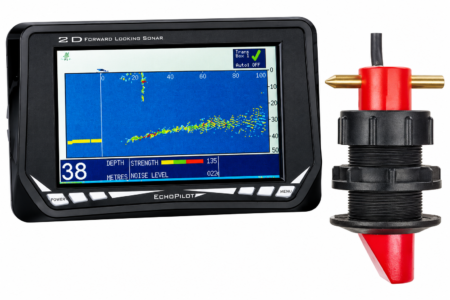
FLS 2D View 2D sonar on a dedicated display
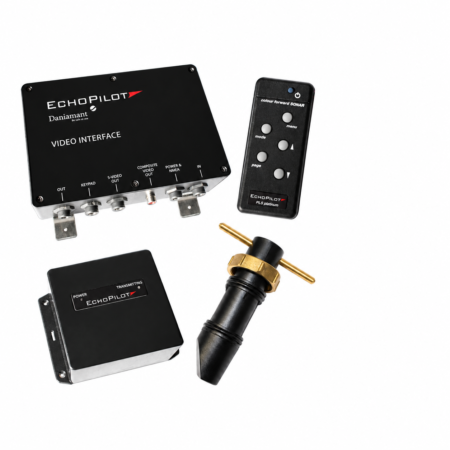
FLS Platinum Engine View 2D sonar on a screen with a compatible video input
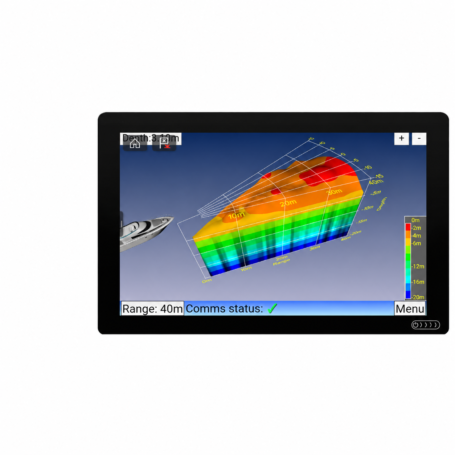
FLS 3D View the seabed in 3D with a 60° horizontal field of view
FLS 3D – 30 Degree Viewing the seabed in 3D across a 30° horizontal field using a single transducer


2D Sonar: the bottom profile ahead of the bow

2D solutions represent the bottom profile ahead of the vessel. The range includes a system with a dedicated display and a solution to be connected to a compatible external screen.

FLS 2D: sonar with a dedicated display

FLS 2D presents information on a 7-inch colour display. The Standard and Professional configurations differ in their transducer and associated through-hull fitting. An optional FLS 2D Repeater display provides an additional viewing station.

It is an option to consider when a dedicated forward-looking sonar station is required. The choice of transducer should be checked against the hull type and the planned installation.

It is an option to consider when a dedicated forward-looking sonar station is required. The choice of transducer should be checked against the hull type and the planned installation.

blue-bar
Sonar display and red-and-black transducer
blue-bar

FLS Platinum Engine: 2D sonar on an external display

FLS Platinum Engine is a system supplied without a display, designed to show 2D sonar information on a screen with a compatible video input. It features Composite and S-Video outputs, along with a dedicated keypad for operation.
It is an option to consider when using a suitable external screen. Before choosing this solution, check the video inputs available: having a multifunction display on board does not, on its own, guarantee compatibility.

3D sonar: a three-dimensional view of the seabed

The 3D systems show the contours of the seabed within a sector ahead of the vessel. The two models differ in their horizontal field of view and the number of transducers.

FLS 3D: 60° horizontal field of view

FLS 3D uses two transducers and provides a total horizontal field of view of 60°, with 90° vertical coverage. It is an option to consider when a wider view ahead of the bow is required, subject to checking the space available and the installation requirements for both transducers.
blue-bar
Sonar display and red-and-black transducer
Immagine ChatGPT 2 nov 2026, 12_57_48
blue-bar

FLS 3D – 30 Degree: a single transducer

FLS 3D – 30 Degree provides a three-dimensional view with a 30° horizontal field of view and 90° vertical coverage, using a single transducer.

It is an option to consider when a single-transducer configuration is preferred, taking into account the narrower horizontal coverage. This model also offers display options via HDMI or VGA, as well as direct integration with compatible multifunction displays.

How far ahead can it see?

EchoPilot 3D systems have a stated forward range of up to 200 metres and, in favourable conditions, can show the seabed ahead of the boat at distances of up to 20 times the water depth.

For example, with 5 metres of water beneath the vessel, the seabed may be visible up to 100 metres ahead of the bow—useful information when assessing an approach to an anchorage or an unfamiliar area.

The actual viewing range varies depending on the seabed type and slope, water conditions and transducer installation. Rocky or rising seabegreater distance.ds may allow detection at greater distances.

Installation and operation

Proper installation allows EchoPilot to perform at its best. The transducer position is selected according to the hull’s characteristics, favouring an area with smooth water flow.

During operation, the seabed view helps users observe changes in depth ahead of the bow. In 3D systems, the Average Forward Depth function provides a summary indication of the average depth detected within the scanned area, to be read alongside the sonar image.

Connections and compatibility: integrating EchoPilot on board

EchoPilot 3D systems include transducers that detect the seabed, a dedicated interface and a processing unit called the Visual Processor, which generates the image shown on the screen.

The sonar image can be viewed on a compatible multifunction display or an external screen with a suitable video input.

Integration with a multifunction display

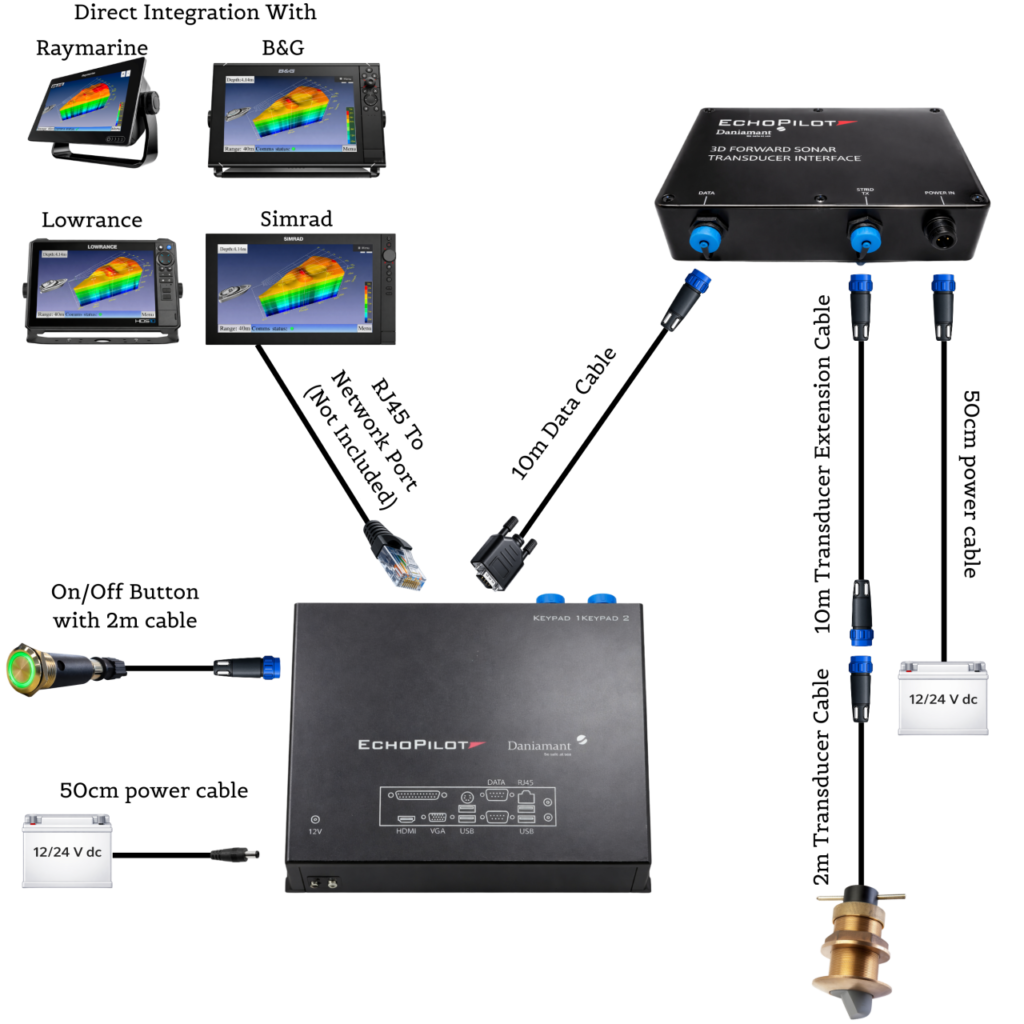
The diagram shows a single-transducer configuration, as used by the FLS 3D – 30 Degree system, with sonar information shown on a multifunction display.

The signal travels from the transducer to the EchoPilot interface and then to the Visual Processor. The processor connects to the compatible display’s network, allowing users to access the sonar through the corresponding application on the onboard display.

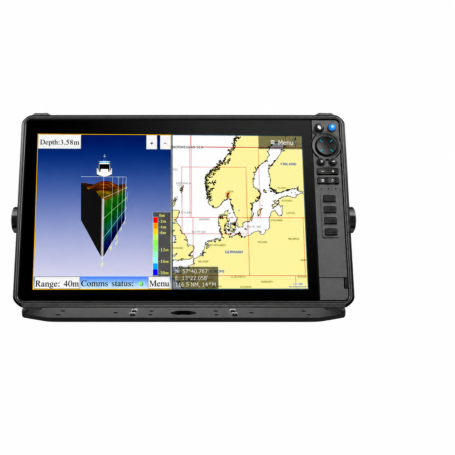
EchoPilot supports integration with compatible Raymarine Axiom, Simrad, B&G and Lowrance displays. On supported systems, users can view charts and sonar side by side, rotate the 3D view and use the zoom function.

Connection to an external monitor

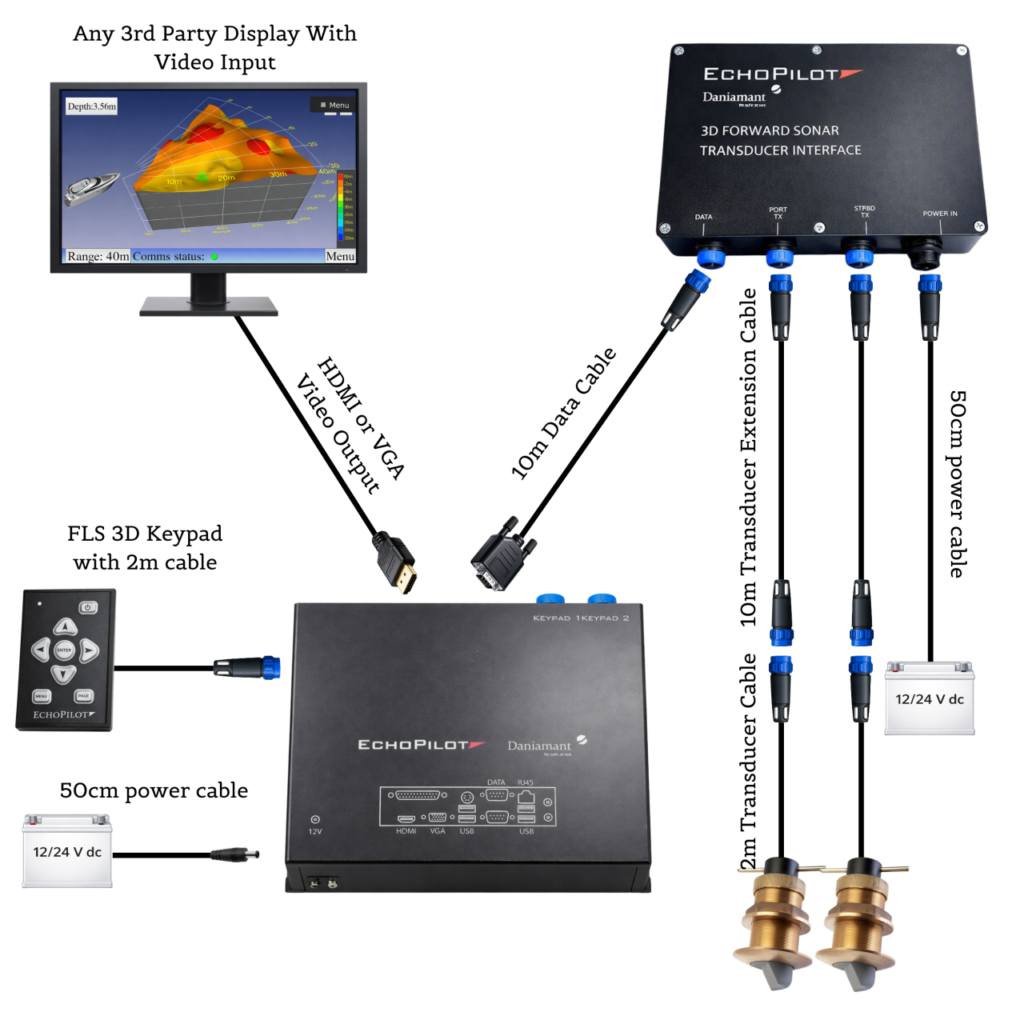
The diagram shows an FLS 3D configuration with two transducers and an external monitor.

The transducers connect to the EchoPilot interface, which communicates with the Visual Processor. The monitor receives the image via an HDMI or VGA connection, while the sonar is operated using the dedicated keypad.

In this configuration, the screen displays the video signal directly, so the application-based integration used with multifunction displays is not required.

The images illustrate two possible configurations: the number of transducers depends on the sonar model, while both 3D systems offer options for viewing sonar information on compatible multifunction displays or external monitors.

Integration with a multifunction display uses the system’s specified Ethernet/RayNet network connection, rather than the NMEA 2000 network alone. Before choosing a configuration, check the display model, software version, EchoPilot configuration and required cabling.

The displays and monitors shown are examples of viewing options; the equipment supplied depends on the configuration purchased.

Contact us to find the right system for your boat

This site is registered on wpml.org as a development site. Switch to a production site key to remove this banner.